UI/UX Design
Manufacturing & RFQ
Dec 30, 2025
The Psychology of Color in Industrial Web Design
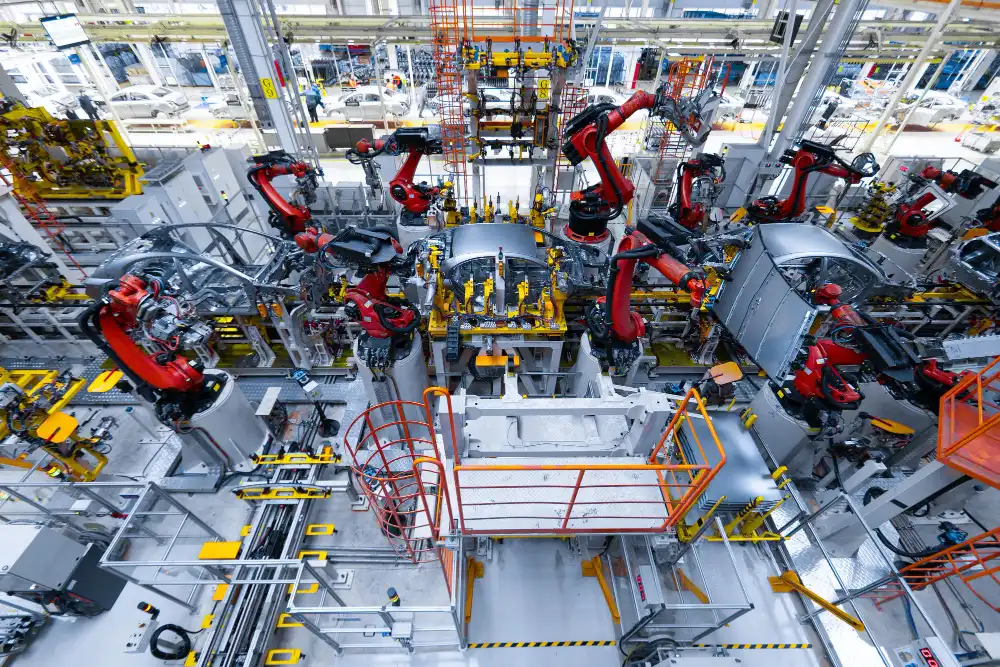
If you walk onto a factory floor anywhere in the world, the color palette is dictated by OSHA and ISO 3864.
Safety Orange screams "Warning: Crush Hazard."
Safety Yellow screams "Caution: Trip Hazard."
Red screams "Stop" or "Fire."
For decades, industrial marketing teams have simply cut and pasted this "High-Vis" palette onto their websites. The logic seems sound: We are an industrial company; therefore, our website should look like our factory.
In 2025, this logic is flawed. It creates a Cognitive Dissonance that hurts conversion rates.
When a procurement officer or engineer visits your website, they are not wearing a hard hat; they are sitting in an office or looking at a tablet. In this digital context, a screen dominated by screaming neon orange does not signal "safety"—it signals alarm, anxiety, and cheapness. It causes visual fatigue and, ironically, reduces the impact of the one thing you actually want them to click: your "Request a Quote" button.
This article explores the sophisticated psychology of color in B2B industrial design. We will look at how to move beyond the "Safety Orange" trap to build a palette that signals Trust, Precision, and Innovation—the three pillars of the modern manufacturing brand.
1. The "Safety Orange" Paradox: Attention vs. Anxiety
Color psychology is context-dependent. On a forklift, orange saves lives by commanding attention. On a website background, it triggers the "Fight or Flight" response.
The Biology of the Eye
High-saturation colors like Safety Orange (#FF6700) and High-Vis Yellow (#CCFF00) are difficult for the human eye to process on backlit screens. They have high "luminous intensity." When used as a dominant color (e.g., in a header or background), they cause Eye Strain. For an engineer trying to read a complex technical datasheet or compare 50 rows of specs, a neon background makes the text "vibrate." This physical discomfort leads to a higher bounce rate. The user isn't just bored; they are physically uncomfortable.
The "Discount" Association
Furthermore, in the retail world (Home Depot, B&Q), bright orange is often associated with "Discount" or "Value" positioning. If you are a precision aerospace manufacturer selling components with micron-level tolerances, an orange-heavy site subconsciously tells the buyer: "We are the budget option."
The Strategic Fix: Relegate Safety Orange to the 10% Rule. Use it only for:
Primary Call-to-Actions (CTAs): A "Request Quote" button in orange works beautifully because it contrasts against white/grey and demands action.
Micro-Interactions: Hover states or small alert badges. It should never be your background, and rarely your primary navigation color.
2. The Palette of Precision: Why Blue Dominates B2B
There is a reason why Siemens, GE, Boeing, and Intel all use Blue.
In color psychology, Blue is the color of Intellect, Logic, and Stability. It is the opposite of the emotional, urgent Red/Orange spectrum. For a B2B buyer making a high-stakes decision (e.g., a $500,000 capital equipment purchase), they are not looking for "excitement"; they are looking for Risk Mitigation.
The "Safe Hands" Signal
Deep Navy and "Tech Blue" signal that you are a "Safe Pair of Hands." It implies that your company is established, solvent, and engineered.
The "Clean Room" Aesthetic: Modern industrial design is moving away from the "gritty" factory look toward the "Clean Room" aesthetic—White, Silver, and Blue. This mimics the environment of high-end electronics and pharma manufacturing. It says: "Our factory isn't dirty; it's a laboratory."
Differentiating in a Sea of Blue
The danger, of course, is looking like everyone else. To use blue without being generic:
Pair with "Electric" Accents: Instead of standard navy, use a deep midnight blue paired with a vibrant "Electric Blue" or "Cyan" for digital elements. This modernization signals that you are a legacy company with a future-forward tech stack (IoT, AI, Automation).
3. The Green Revolution: Sustainability as a Core Value
Ten years ago, Green was for landscaping companies. Today, it is a power color for Heavy Industry.
With the rise of ESG (Environmental, Social, and Governance) mandates, procurement teams are actively scoring suppliers on sustainability. A website that utilizes specific shades of green—paired with clean white and grey—subconsciously signals compliance with environmental standards.
The "Eco-Industrial" Palette
We are seeing a surge in "Teal" and "Forest Green" in sectors like:
HVAC & Energy: Signaling efficiency.
Packaging: Signaling recyclability.
Steel & Concrete: Signaling "Green Steel" or low-carbon initiatives.
Warning: Avoid "Lime Green." It reads as "consumer startup." Stick to grounded, metallic greens (Pantone 553 C) that feel like oxidized copper or natural elements. This bridges the gap between "Industrial Strength" and "Environmental Responsibility."
4. The "Engineer’s Eye": Dark Mode and Data Visualization
Engineers and developers often prefer Dark Mode in their software (CAD tools, IDEs). Why? Because it reduces eye strain during long periods of concentration.
In 2025, bringing Dark Mode aesthetics to your industrial website—specifically for Client Portals and Data Dashboards—is a powerful UX move.
The "Premium" Dark UI
Dark interfaces (Charcoal, Gunmetal Grey, Deep Black) allow colored data points to pop.
Dashboard Design: If your customer portal shows real-time machine data or order status, a dark background with bright data lines (neon blue, green, pink) looks sophisticated and high-tech. It mimics the HMI (Human Machine Interface) screens engineers use on the shop floor.
Luxury Manufacturing: For companies doing high-end custom fabrication (e.g., architectural metalwork), a dark website functions like a jewelry store display. It puts the focus entirely on the photography of the metal, making the product look expensive and premium.
5. The Accessibility Mandate: Designing for the 8%
Here is a statistic that most industrial web designers ignore: 1 in 12 men (8%) are color blind (mostly Red-Green color blindness).
In the manufacturing workforce, which is still roughly 70% male, this means a significant portion of your audience literally cannot see your status indicators if you rely solely on Red and Green.
The "Status Light" Failure
Many industrial sites use:
Green Dot = In Stock
Red Dot = Out of Stock
To a person with Deuteranopia (green-blindness), these two dots look nearly identical (a muddy brownish-yellow). The UX Fix: Never use color alone to convey meaning.
Use Icons: Green Checkmark ✅ vs. Red X ❌.
Use Text Labels: Always write "In Stock" next to the color.
High Contrast: Ensure your text contrast ratios meet WCAG 2.1 AA standards. A light grey text on a white background might look "sleek" to a designer, but it is invisible to a 55-year-old plant manager viewing the site on a glare-filled tablet on the factory floor.
6. The "Isolation Effect": Converting with Accent Colors
The Von Restorff Effect (or Isolation Effect) predicts that when multiple similar objects are present, the one that differs from the rest is most likely to be remembered.
In web design, this is your Action Color.
If your brand palette is Blue and Grey, you need a "disruptor" color that is never used for anything except clicking.
The Mistake: Using your brand's primary blue for the logo, the headers, the footer, and the "Submit RFQ" button. The button becomes camouflaged.
The Fix: If your site is Blue, make your buttons Yellow or Orange. If your site is Red, make your buttons Black or White.
The "Unbranded" CTA
Some of the highest-converting industrial sites use a CTA color that is not even in their official brand guidelines. It feels "wrong" to the brand manager, but it feels "right" to the user's brain because it breaks the pattern. It draws the eye immediately to the conversion point.
7. Case Studies: Color Done Right
1. Caterpillar (CAT) vs. The Clones
Caterpillar owns "Yellow." But look at their digital presence. They don't splash yellow everywhere. Their website is predominantly White, Black, and Grey. They use their signature yellow only for the logo and the most critical buttons/highlights. This makes the yellow pop. It feels authoritative, not like a construction vest.
2. SpaceX: The "Future" Palette
SpaceX (and many aerospace firms following them) utilizes stark Black and White with cool Blue/Purple imagery. There is zero "Safety Orange." This palette signals: We are not just bending metal; we are doing rocket science. It appeals to the aspiration of the engineer.
Conclusion: Color is a Functional Tool, Not Decoration
In B2B industrial web design, color is not about "what looks pretty." It is a functional tool used to:
Reduce Cognitive Load: By avoiding eye-straining safety colors.
Establish Hierarchy: By using contrast to guide the eye to the RFQ.
Signal Competence: By using "Clean Room" palettes that imply precision.
Ensure Inclusion: By respecting the color-blind workforce.
Stop treating your website like a safety brochure. Treat it like a precision instrument. If you want to be taken seriously by modern buyers, it is time to leave the "Safety Orange" in the supply closet and embrace a palette that sells.
Ready to modernize your digital presence? Contact us for a Brand Palette Audit. We will analyze your current color scheme against competitor benchmarks and psychological trust signals.